Ir directamente a la información del producto
1 de 7

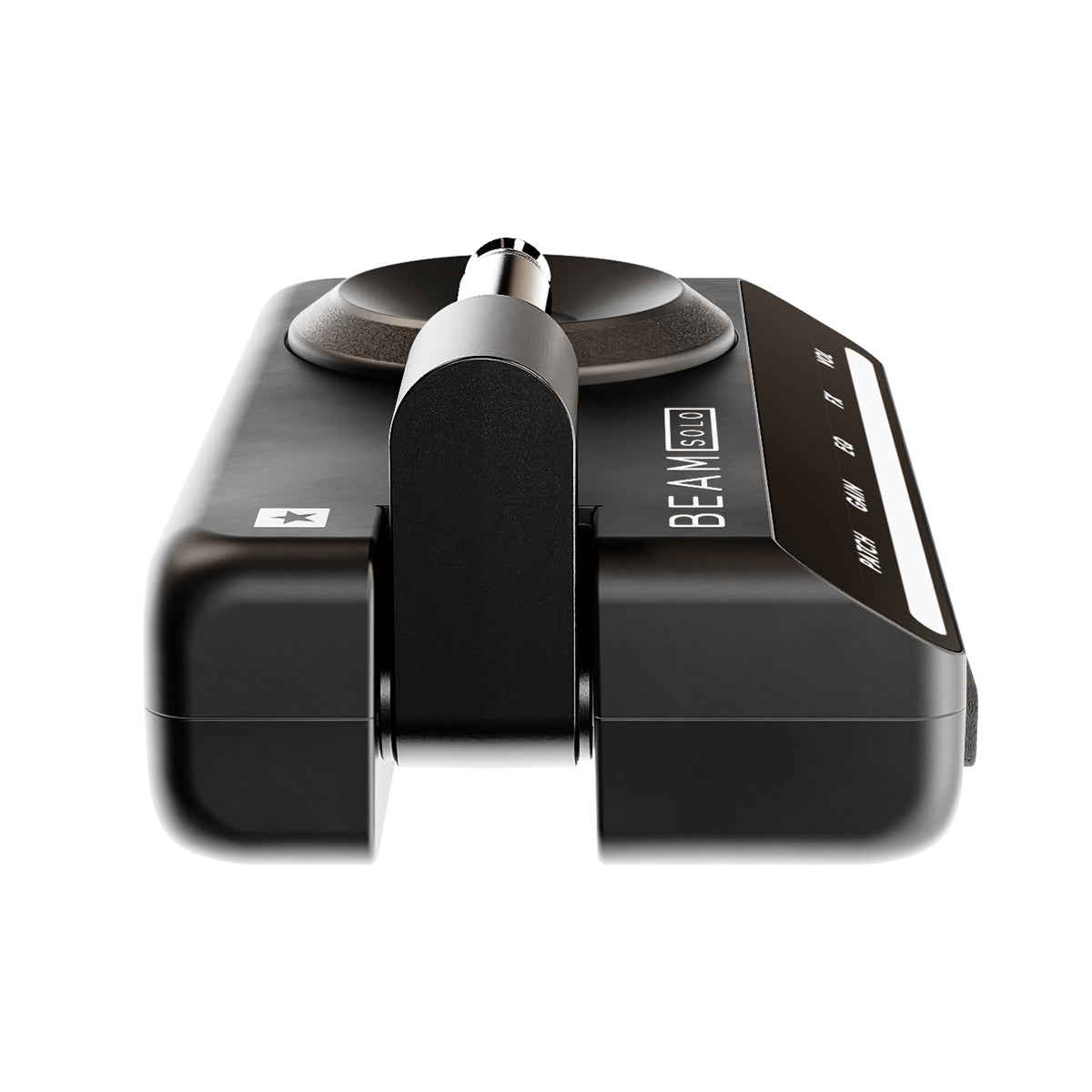
BEAM SOLO

BEAM SOLO

Amplificador de auriculares inalámbrico con sonido de estudio y funciones inteligentes

SKU:BEAMSOLO

Precio habitual £123.99 GBP
Precio habitual Precio de oferta £123.99 GBP
Oferta Agotado
Impuestos incluidos. Los gastos de envío se calculan en la pantalla de pago.

Descripción

El último tono de guitarra portátil con control de aplicación

Acceda a tonos de guitarra inspiradores en cualquier lugar y en cualquier momento: el amplificador de auriculares BEAM Solo ofrece tonos con calidad de estudio directamente a sus auriculares. Acceda a cientos de combinaciones de amplificador/micrófono/efectos, únase a una próspera comunidad de creadores de tonos y aproveche al máximo cada sesión musical.

Especificaciones

Duración aproximada de la batería (cargada mediante USB-C): 5 horas+
Pantalla Dynamic Light Beam: Y
X Cambios rápidos de parámetros con SpeedDial: Y
Amplificadores: 8+ Efectos: 35+
ISF (función patentada Infinite Shape): Y
Simulador de altavoz CabRig basado en IR con In The Room™: Y
Combinaciones de gabinete y micrófono: 9+
Combinaciones de entorno de sala: 9+
Grabación directa multicanal (mediante USB-C): Y
Conector para auriculares de 3,5 mm con entrada de micrófono para auriculares: Y
Conector de ¼" (integrado, plegable): Y
Guardar y recuperar patches: Y
Compartir patches a través de la comunidad en línea y redes sociales: Y
Afinador incorporado: Y
Conectividad Bluetooth para reproducción de música: Y
Aplicación móvil BEAM para iOS y Android: Y

Ver todos los detalles
Over the shoulder view of a guitarist holding a smartphone with the Moises app interface open, and the Moises logo in the top-left corner.

Integrated Moises AI Stem Separation

Beam Solo integrates Moises stem separation, letting you isolate or remove guitars from any song. Want to play along with a classic track? Remove the guitar and step into the player’s shoes, or isolate a part to study every detail of the performance.

This gives musicians a completely new way to practise, learn, and play along with their favourite music.

*Moises is currently available on iPhone and will be available as a free update to compatible Android devices on the 19th October.

Tus contactos: en marcación rápida

XpressFX ajusta al instante la intensidad de todos tus efectos mediante SpeedDial, un control intuitivo que te permite modelar el sonido de forma rápida y sencilla.

La experiencia «In The Room»

Disfruta de un sonido envolvente y de la sensación de estar junto a un amplificador real. Nuestra exclusiva tecnología «In the Room» lleva toda la potencia de un amplificador directamente a tus auriculares, haciéndote sentir como si estuvieras justo delante de él.

Tu voz.
Tu riff.

Disfruta de la perfecta armonía entre tu guitarra y tu voz con un micrófono integrado en los auriculares, creando un sonido envolvente y de gran riqueza directamente en tus auriculares.

1 de 6
  • Aplicación BEAM

    Discover over 50 amps, cabinets, mics, and pedals — endless tones at your fingertips.

  • CabRig

    Simulación inmersiva de gabinete y micrófono basada en respuestas de impulso.

  • Numeración rápida

    SpeedDial™ intuitivo con haz de luz reactivo.

  • Xpress FX

    La frase a mano.

  • In the room

    Sienta la potencia de un amplificador real, incluso con auriculares.

1 de 5

Get Your BEAM SOLO

Support & Documentation

Quick Start Guide

Owner's Manual

Safety Warnings

Manufacturer's Details

Designed and Engineered by
BLACKSTAR AMPLIFICATION LTD
Beckett House, 14 Billing Road, Northampton, NN1 5AW, UK
Tel: +44 (0)1604 817817
help@blackstaramps.com

EU Responsible Person

EAS Europe
Mustamäe tee 50, 10621 Tallinn, Estonia
easproject.com, +372 5696 8939, gpsr.requests@easproject.com


FAQs

Safe charging practices for lithium-ion batteries

Your Blackstar product is powered by a high-quality lithium-ion battery. Battery performance and longevity are influenced by how it is used and charged. To ensure reliable operation and maximise battery life, please follow the guidelines below:

  • Wherever possible, avoid using fast chargers. Rapid charging places additional stress on the battery and can reduce its overall lifespan.
  • Do not regularly charge the battery when it is already at 100%, and avoid allowing it to fully discharge. For optimal battery health, aim to keep the charge level between approximately 30% and 80%.
  • If your Blackstar product will not be used for an extended period, store it with the battery around half charged in a cool, dry, and dark environment.
  • Do not use or charge the unit in hot or poorly ventilated locations, particularly at temperatures above 45°C / 113°F, such as inside a parked vehicle or in direct sunlight near a window.
  • Avoid charging the battery in cold conditions below 10°C / 50°F, and do not operate the amplifier at temperatures below 0°C / 32°F.
  • Protect the unit from strong mechanical impacts. Dropping the unit or subjecting it to heavy shocks may cause damage to the internal battery.

Relevant products:

  • BEAM Solo
  • Polar GO
  • AirWire
  • FLY Charge
  • BEAM Mini
  • ToneLink
  • Carry-on Piano (all models)
  • Carry-on Soundtrack
  • Carry-on DWI

Beam Bluetooth Connection Help

Please use our helpful guide to get you connected: Beam Connection Guide

Why is the Beam Android Update later than expected?

Development has taken a little longer than expected due to the diverse Android device platforms, therefore we’ve jointly pushed out the Android launch to 30th September to allow more time for testing.

I’ve updated the firmware and now my amp won’t connect to the Beam app?

Please ensure you have updated your app to the latest version and have used it to install the latest firmware update on your beam solo or beam mini.

How do I connect my Beam to Moises?

Connect your iPhone to your Beam Mini or Beam Solo with a USB-C cable and launch the Moises app (or launch the Moises app directly from the Beam app by tapping the Moises logo). If you have an iPhone 14 or earlier, your device has a Lightning connector instead of USB-C. To connect to your Beam device, you’ll need a Lightning-to-USB-C adapter (not just a Lightning-to-USB-C cable), which you can find out more about here. Once correctly connected, the Moises app will display the name of your Beam device and you can start playing music from your phone and adjust the levels of each stem directly within the Moises app.

How many stems does the Beam Moises integration support?

You can adjust volumes three stems – Guitar, Vocals, and Other (all other audio in the track) while connected to your Beam Mini or Beam Solo.

Does the Beam Moises integration require an internet connection?

If you don’t have the Moises app you’ll need a connection to download it, but if you’re already set up it won’t require an active internet connection to play audio that’s already stored on your phone. You may need an internet connection to stream music from your chosen provider.

Does the Beam Moises integration work with any phone?

The Beam Moises integration currently works with iPhone, with Android support becoming available on 30th September 2026.

Is the Beam Moises feature free?

Anyone with either a Beam Mini or Beam Solo and the Moises app can fully adjust the guitar stem or isolate the guitar completely for free. Other stems can be adjusted down to 25% volume with the free Beam license of Moises. If you have a Pro or Premium Moses subscription, you will be able to isolate all stems and adjust their levels down to zero.

Is my device compatible with the Beam app and Moises integration?

Please check the full list of compatible devices to verify your device is compatible.